

Full-screen alerts are Android only. They turn on the locked phone screen in the color of the alert that went off. They also show icons and text with important messages for the user.
Full screen will not work if:
- The phone has no screen lock method.
- The notification permission has not been granted.
- The full-screen permission has not been granted.
- “Do not disturb” mode is on.
- The phone is not locked, with the screen off.
To find out why it does not work, the app shows a diagnostic screen that tells you which points are met and which are not. The following video explains how to enable it for the different features.
Full-screen permission #
To receive full-screen alerts you must grant the full-screen permission. To do this, just try to turn on an option that needs it (third-party apps, alarms, reminders…), or open a building’s details, where you will see a button to enable the permission. We will also let you know with a notification that it is not set up: tap it and we will guide you through the setup.
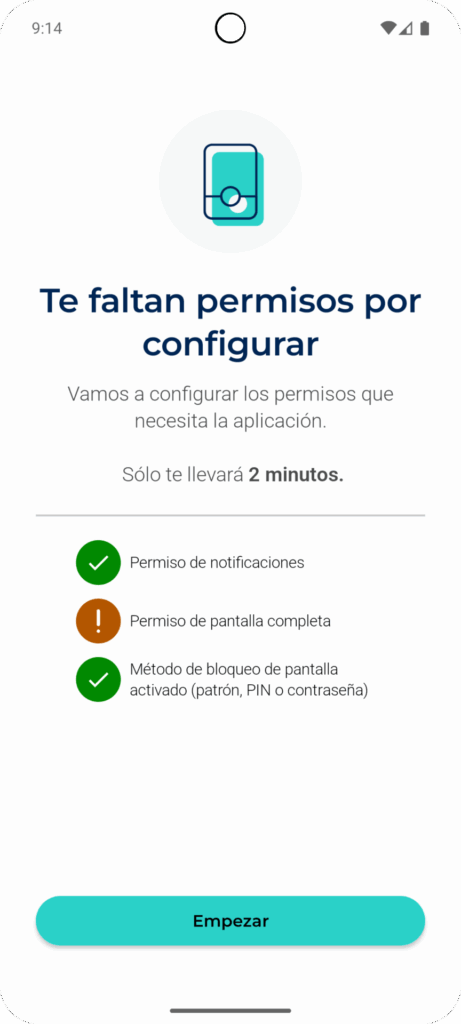
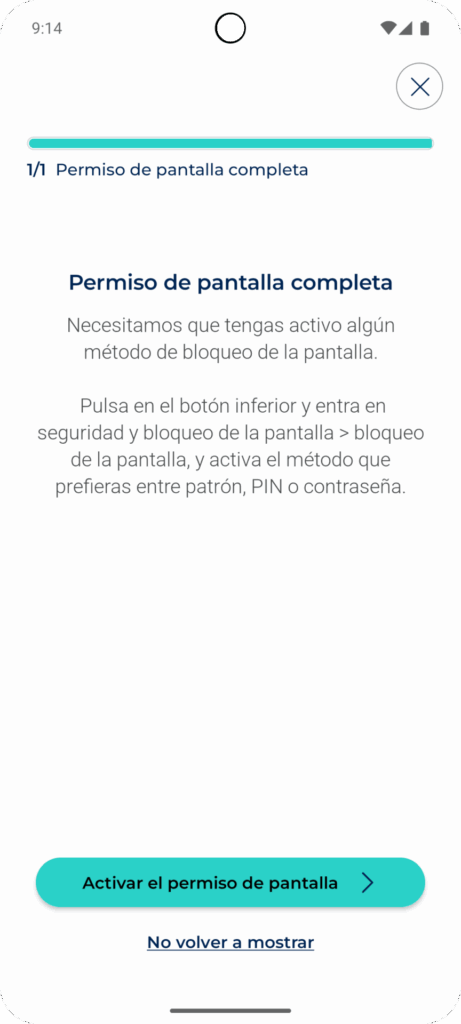
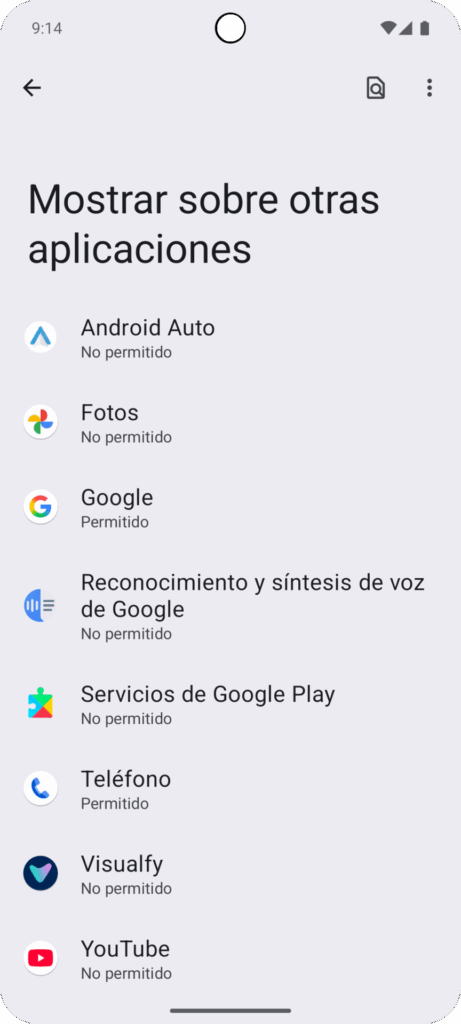
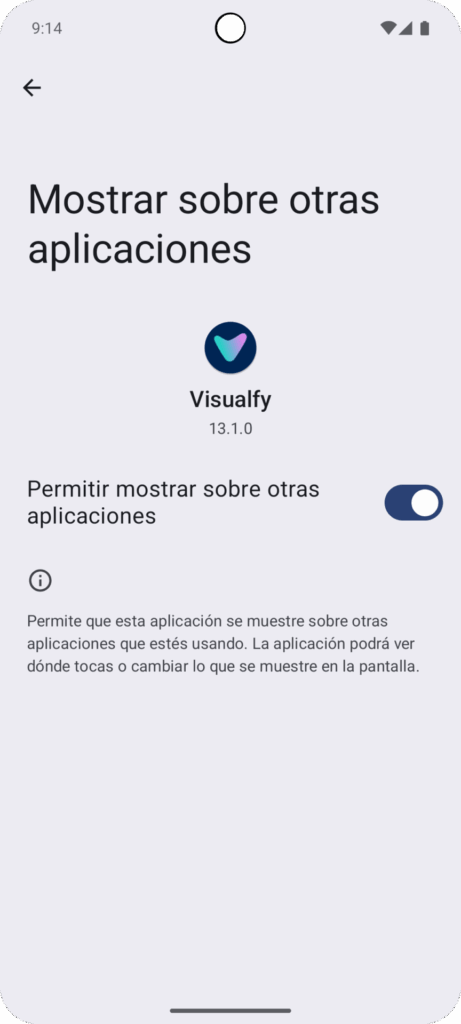
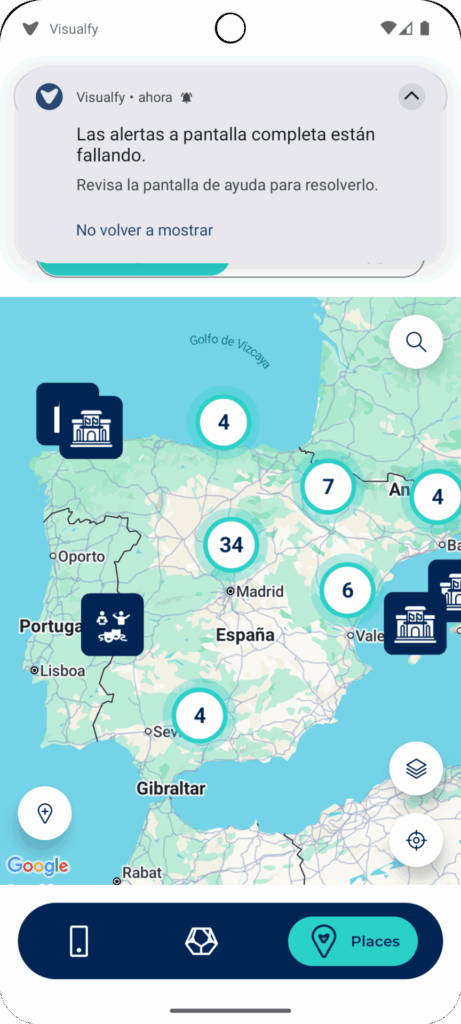
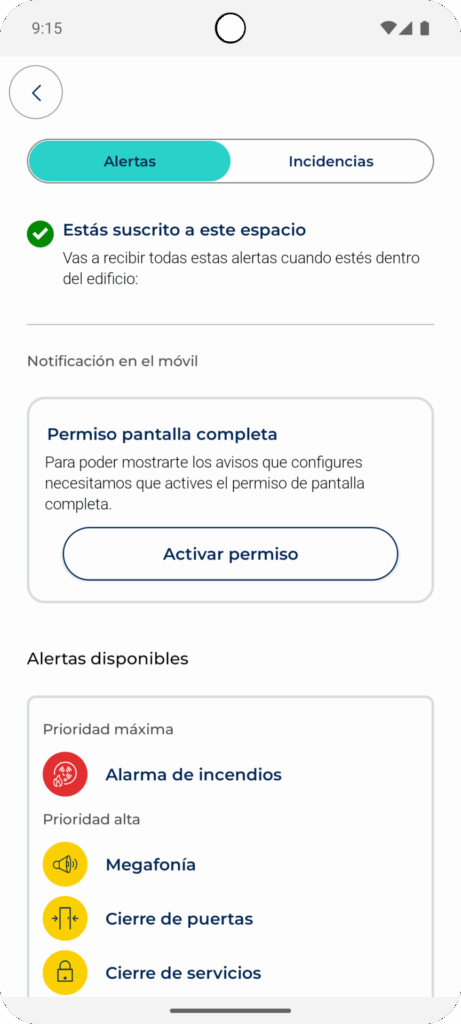
*NOTE: these instructions may vary depending on the brand and model of the device. If your phone is a Xiaomi, you will have to accept some extra permissions; we will tell you on the same screen which permissions you need to accept.
Troubleshooting #
If full-screen alerts are failing, your phone needs the following settings:
- The “Always On Display” option (AOD) must be set to any option other than “Don’t show”. This option is usually in phone Settings→Lock screen.
- In Settings→Apps→Visualfy→Notifications → Notification categories or Channels, open each channel; the option* “Show as pop-up” (in other Android versions, “Banners”, “Pop-ups” or “Notification bubble”) must be on.
*NOTE: these instructions may vary depending on the brand and model of the device.
If you still do not see full-screen alerts, we recommend checking that you have notifications turned on on your phone (if you have a Samsung, tap this link).
If you still do not receive full-screen alerts, open one of your alerts and tap “Full-screen alert not showing when an alert arrives? Tap here”, so you can contact support and tell us about your problem.


